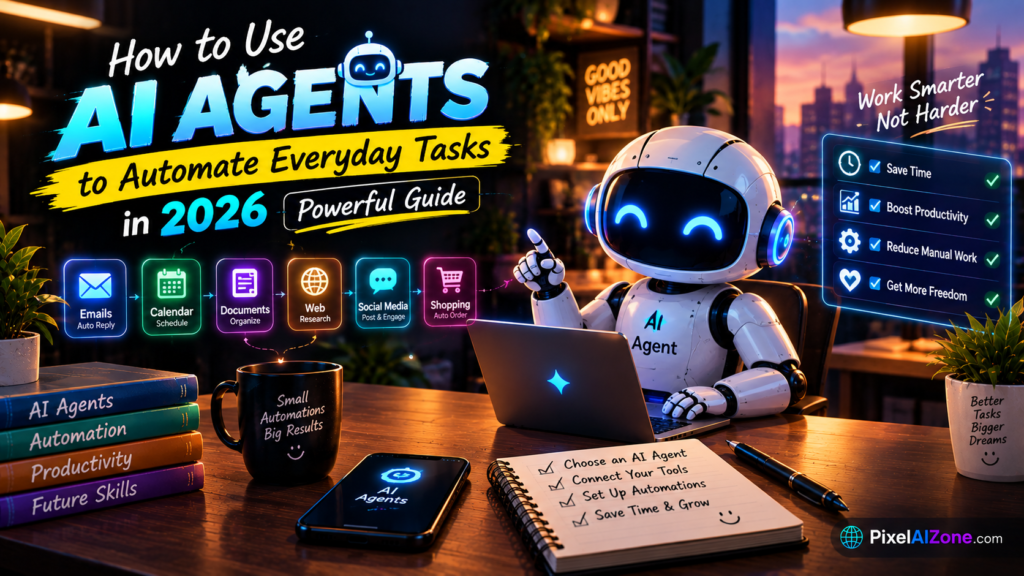
Your inbox, calendar, research, and reports can now run themselves. Here’s exactly how to set it up.
Let me show you something.
In 2026, AI agents have moved from novelty to necessity. According to Gartner, 40% of enterprise applications will embed task-specific AI agents by the end of 2026, up from under 5% just a year earlier . But you don’t need to be an enterprise to benefit. The same technology is available to anyone with a $20 subscription and an hour to set up.
How to use AI agents is now the most practical skill for knowledge workers. The copy-paste tax — the hours you spend moving information between apps — is finally solvable. This guide shows you exactly how to use AI agents to automate your everyday tasks.
Table of Contents
- What Are AI Agents (And How Are They Different)?
- The 5 Everyday Tasks You Should Automate First
- How to Use AI Agents: The Setup Process
- The Best AI Agents for Everyday Tasks
- How to Write Instructions That Work
- Common Mistakes to Avoid
- FAQ
What Are AI Agents (And How Are They Different)?

How to use AI agents starts with understanding what makes them different from chatbots.
A chatbot answers questions. An AI agent takes action. According to Zapier’s 2026 guide, “AI agents are systems that can autonomously perform tasks on your behalf — they can browse websites, analyze files, connect to apps, write code, make decisions, and coordinate with other AI systems with little human involvement” .
The key difference:
| Chatbot | AI Agent |
|---|---|
| Responds to prompts | Works toward goals |
| Gives you information | Takes action for you |
| You still do the work | You review the work |
| Single response | Multi-step execution |
According to MIT Sloan’s AI research, AI agents are “semi- or fully autonomous systems able to perceive, reason, and act on their own” .
How to use AI agents effectively means moving from asking for advice to delegating complete tasks.
The 5 Everyday Tasks You Should Automate First

Not all tasks are worth automating. According to business automation guides, the best starting tasks have three qualities: they’re repetitive, well-defined, and low-risk .
Here are the 5 best tasks for beginners:
1. Inbox Triage
What it does: Monitors your Gmail, uses AI to understand email context, drafts appropriate responses, and sends them for your approval before sending.
Why it works: Customer service teams handling 200+ emails daily reduce response time from hours to minutes.
Time saved: 5-7 hours per week.
2. Meeting Scheduling
What it does: Checks your calendar, finds available slots, schedules meetings, and sends confirmations — all without back-and-forth emails.
Why it works: Eliminates the “when are you free?” email chain.
Time saved: 2-3 hours per week.
3. Research Summarization
What it does: Takes a topic or document, researches it across multiple sources, and produces a structured summary with citations.
Why it works: Turns hours of reading into minutes of review.
Time saved: 3-5 hours per week.
4. Report Generation
What it does: Pulls data from multiple sources, analyzes it, and generates formatted reports on a schedule.
Why it works: Weekly reports that took 2 hours now take 10 minutes to review.
Time saved: 2-4 hours per week.
5. Content Repurposing
What it does: Takes one blog post or video, extracts key points, generates social posts for multiple platforms, and schedules everything.
Why it works: Content teams save 10+ hours per week.
Time saved: 4-6 hours per week.
How to Use AI Agents: The Setup Process

How to use AI agents follows a simple five-step process that works for any task.
Step 1: Choose Your Tool
The tool you choose depends on your existing ecosystem. Here are the main options:
| Tool | Best For | Starting Price |
|---|---|---|
| ChatGPT Agent | General-purpose tasks, OpenAI users | $20/month |
| Claude Cowork | Document processing, Microsoft Office | $20/month |
| Microsoft Copilot | Microsoft 365 users | ~$30/user/month |
| Gemini Spark | Google Workspace users | $100/month |
| Zapier AI | No-code builders, connecting apps | Free tier |
For beginners, ChatGPT Agent or Claude Cowork offer the best entry points. Both are available for $20/month and include agent capabilities.
Step 2: Define the Task Clearly
How to use AI agents successfully depends on clear instructions. According to automation experts, the best instructions follow a simple structure: “When [trigger] happens, do [action] with [details].”
Example:
“When a new email arrives in my inbox from a client, draft a response acknowledging receipt, summarize the request, and add a task to my project management app.”
Step 3: Connect Your Tools
AI agents work by connecting to the apps you already use. Most agents support:
- Email: Gmail, Outlook
- Calendar: Google Calendar, Outlook Calendar
- Documents: Google Docs, Word, Notion
- Messaging: Slack, Teams
- Project Management: Asana, Trello, Monday
The more tools you connect, the more the agent can do.
Step 4: Test in a Safe Environment
Before letting your agent run on live data, test it in a controlled environment. According to AI safety best practices, run your first task on a copy of a folder or a test email address.
Why this matters: Your first task runs on a copy, so the worst case is deleting a copy.
Step 5: Review and Refine
How to use AI agents well means treating the first version as a draft. Run the agent, review the output, and refine your instructions.
Most agents need 2-3 iterations before they work reliably. This is normal, not failure.
The Best AI Agents for Everyday Tasks

According to current comparisons, here’s how the leading agents stack up:
| Agent | Best For | Key Strength |
|---|---|---|
| ChatGPT Agent | General-purpose automation | Familiar interface, broad ecosystem |
| Claude Cowork | Document and Office tasks | Native Word, Excel, PowerPoint support |
| Microsoft Scout | Enterprise workflows | Always-on, works in background |
| Gemini Spark | Google Workspace | Runs on Google Cloud VMs 24/7 |
| Manus | Power users | Hybrid cloud-to-local execution |
How to use AI agents effectively often means using multiple agents for different tasks. According to industry research, “the most productive technical professionals use multiple tools and know clearly which to reach for when” .
How to Write Instructions That Work
How to use AI agents successfully depends on how well you write instructions. Here’s the formula that works:
The Three-Part Formula
| Part | What It Does | Example |
|---|---|---|
| Trigger | When should it run? | “When a new email arrives from a client…” |
| Action | What should it do? | “…draft a response acknowledging receipt…” |
| Output | What should the result look like? | “…and add a task to my project app with the client name and deadline.” |
Good vs. Bad Instructions
Bad: “Handle my emails.”
Good: “When a new email arrives, categorize it as urgent, client, or spam. For client emails, draft a response. For urgent emails, notify me on Slack. For spam, archive it.”
The difference: Specificity. The more precise your instructions, the more reliable the agent.
Common Mistakes to Avoid

How to use AI agents without frustration means avoiding these common mistakes:
| Mistake | Fix |
|---|---|
| Starting with complex tasks | Start with one simple, repetitive task |
| Vague instructions | Use the three-part formula (trigger, action, output) |
| No human review | Always review high-impact actions before execution |
| Expecting perfection | Most agents need 2-3 iterations to work reliably |
| Ignoring security | Give agents least-privilege access, not admin rights |
| Not measuring results | Track time saved to know if the agent is working |
According to Forrester’s agentic AI research, “treat every agent as a governed identity” — give it unique credentials, least privilege, and a named owner.
FAQ
Q: Do I need to code to use AI agents?
A: No. Modern AI agents work through natural language instructions. If you can write an email, you can write agent instructions.
Q: How much does it cost to use AI agents?
A: Most agents are available on $20/month plans. ChatGPT Agent and Claude Cowork both start at $20/month. Zapier AI has a free tier.
Q: How much time can AI agents save?
A: According to business automation data, users save 5-15 hours per week depending on the tasks automated.
Q: Are AI agents safe?
A: They’re as safe as your instructions and permissions. Give agents least-privilege access, review high-impact actions, and treat every agent as a governed identity.
Q: What’s the easiest task to automate first?
A: Inbox triage or meeting scheduling. Both are repetitive, well-defined, and low-risk.
Q: How long does setup take?
A: Your first agent can be set up in about 15 minutes. Refinement takes 2-3 iterations.
Final Thoughts
How to use AI agents is the most practical skill for knowledge workers in 2026. The tools are ready, the prices are accessible, and the time savings are real.
What you’ve learned:
- AI agents take action, not just answer questions
- The 5 best tasks to automate first
- The 5-step setup process
- The best tools for different ecosystems
- How to write instructions that work
- Common mistakes to avoid
Your next step:
- Choose one task from the list above
- Pick an agent (ChatGPT Agent or Claude Cowork for beginners)
- Write a three-part instruction (trigger, action, output)
- Test on a safe copy of your data
- Review and refine
- Measure time saved
The copy-paste tax is over. Start automating today.
Related Posts on Pixelaizone
- [AI Coding Agents in 2026: Can AI Build Your Next App?]
- [Best AI Tools for Bloggers in 2026: Write, Research and Rank Faster]
What task will you automate first? Drop a comment below!