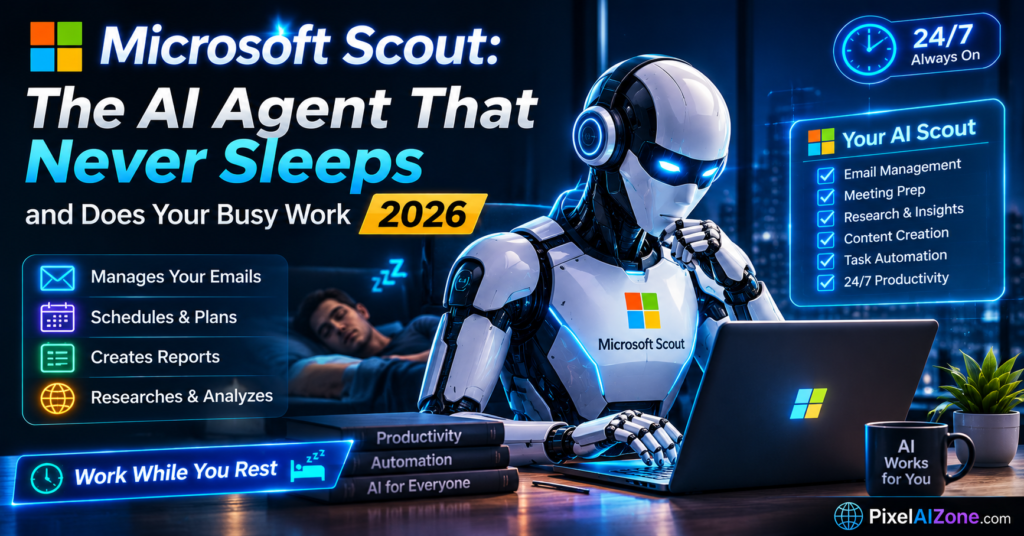
Microsoft Scout has unveiled an always-on AI coworker that lives in Teams, works 24/7, and handles the coordination work you keep forgetting to do.
Let me show you something.
On June 2, 2026, at Microsoft’s Build developer conference in San Francisco, Microsoft introduced Scout — an AI agent that doesn’t wait to be asked . Unlike traditional chatbots that respond only when prompted, Scout runs continuously in the background, managing schedules, drafting responses, and tracking commitments while you focus on other work or step away from your desk .
Scout is the first of a new product category Microsoft calls “Autopilots” — always-on agents that work autonomously, with their own identity, and act on your behalf . According to Microsoft CEO Satya Nadella, “Autopilots are always-on agents that work autonomously, with their own identity, and act on your behalf” .
Table of Contents
- What Makes Scout Different
- How Scout Actually Works
- Key Features and Capabilities
- Enterprise Security and Governance
- Built on OpenClaw Technology
- Availability and Access
- What This Means for Office Work
- FAQ
What Makes Scout Different

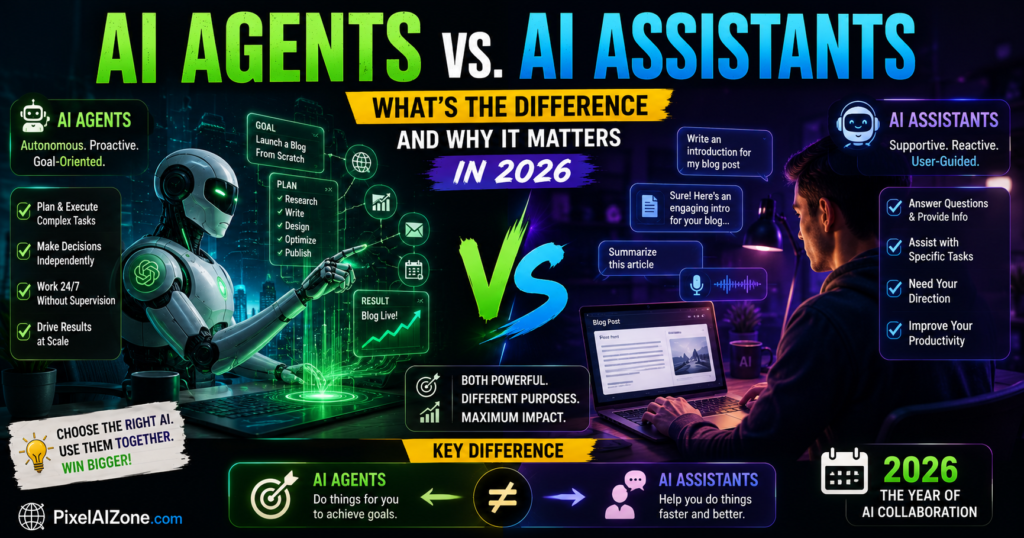
The core difference between Scout and traditional AI assistants is straightforward: Copilot answers when asked; Scout acts on its own .
Where Copilot completes tasks on request, Scout is built to manage and advance work on its own .
Omar Shahine, Corporate Vice President of Microsoft Scout, put it this way: “Your company essentially hires your assistant. The whole point of having a personal assistant is that they’re working when you’re not working” . So while you’re away from your desk, Scout is busy blocking off calendar time, generating talking points based on recent messages, and ensuring you’re prepared for upcoming meetings .
“Always-On” Architecture
Scout is always on. It operates continuously in the background, monitoring your workflows, chats, emails, calendars, and files . It takes action without needing to be prompted each time .
The pitch: Work has scattered across email, chat, meetings, and files, and people burn hours coordinating it rather than doing it. Scout is designed to handle that coordination overhead .
How Scout Actually Works

Scout sits as a layer across several Microsoft 365 services at once, which lets it act without making you hop between apps .
Platform Integration:
| Platform | What Scout Does |
|---|---|
| Teams | Works like a coworker — answers queries, tracks commitments, summarises threads, coordinates tasks |
| Outlook | Reviews emails, drafts replies, prioritises messages, manages follow-ups |
| OneDrive | Pulls relevant documents, gathers context for meetings, retrieves files on demand |
| SharePoint | Searches organisational knowledge, surfaces project information and context |
| Calendar | Schedules meetings, resolves clashes, blocks focus time, works across time zones |
Work IQ: The Intelligence Layer
Scout’s understanding of how a business operates comes from Work IQ — the Microsoft 365 intelligence layer that reads signals from emails, files, meetings, and calendar data . Rather than waiting for users to brief it, Scout uses Work IQ to map priorities automatically .
Work IQ tracks:
- Who a user works with
- Which projects are active
- Where decisions are stalling
Charles Lamanna, Executive Vice President of Copilot, Agents and Platform at Microsoft, explained: “Work IQ is the intelligence layer that understands your data, your tools, and your organization. That foundation allows agents to plan, act, and produce outcomes that are grounded in how your business runs” .
Key Features and Capabilities

Proactive Scheduling and Calendar Management
Scout proactively coordinates meeting times across time zones, flags important upcoming meetings, and prepares briefing materials . It can also protect a user’s priorities — Shahine instructed his Scout to keep family dinner time free from meetings, and the agent automatically flagged scheduling conflicts and suggested alternatives .
Automated Email and Message Management
Scout reviews emails and Teams threads to surface what matters and draft replies . It can:
- Log commitments made in conversation
- Nudge people on pending actions
- Flag decisions that have stalled and could drag a project
Meeting Preparation and Task Automation
Scout automatically prepares for meetings by:
- Gathering relevant documents from OneDrive and SharePoint
- Surfacing the latest project information
- Drafting agendas
It gets better over time. Through the Work IQ system, Microsoft says Scout builds a deeper read of a user’s priorities over time, sharpening its support. Instead of standing by for orders, it suggests actions, reserves focus time, raises risks, and keeps work moving while the person handles higher-value parts .
Enterprise Security and Governance

Microsoft built Scout with enterprise-grade security and controls so it can be trusted in your organization from day one .
Key security features:
| Feature | What It Means |
|---|---|
| Dedicated Entra Identity | Scout has its own governed identity, tying every action to a verifiable identity that flows through existing tenant policy |
| Limited Permissions | Permissions are scoped to specific tasks, with credentials protected from logs and diagnostic data |
| Human Approval | Required for sensitive actions, and it’s up to IT admins to define which actions and destinations are accessible |
| Purview Integration | Follows existing security policies and data loss prevention, including sensitivity labels |
| Full Audit Trail | Every action Scout takes leaves an auditable record |
The Agent 365 Governance Model
Microsoft also announced Agent 365 at Build 2026, which treats agents as governed identities rather than applications. Each agent gets its own productivity licence and Entra ID. As a result, admins can review, monitor, and block agents through the M365 admin centre, using the same controls they apply to human users .
Built on OpenClaw Technology

Scout is powered by OpenClaw, the open-source agent framework that accumulated 180,000 GitHub stars in roughly three months after its January 2026 launch . Rather than develop a competing framework, Microsoft built Scout on top of the OpenClaw codebase and committed to contributing enterprise-grade policy controls back upstream .
Why this matters: OpenClaw gets mainstream distribution through Microsoft. Microsoft gets a shortcut to an agent-powered future, the credibility of an open-source foundation, and skips the part where it has to explain what an “agent runtime” is to enterprise customers who just want their meeting prep handled .
The technology stack:
- Built on OpenClaw framework
- Overlaid with Microsoft’s Work IQ intelligence layer
- Wrapped in enterprise security and governance controls
- Deployed through Microsoft 365 ecosystem
Availability and Access
Scout is currently available through Microsoft’s Frontier program — an early-access programme for experimental Microsoft products .
- Microsoft 365 Copilot licence (and GitHub Copilot licence for installation)
- Frontier enrollment
- Intune policy configuration
- An opt-in attestation
Broader preview is expected in late June 2026 , with general availability targeted for October 2026 . Microsoft has indicated Scout will be an add-on for M365 E3 and E5 subscribers, though pricing has not yet been confirmed .
What This Means for Office Work

Scout is part of a growing, agentic transformation that’s permanently altering white-collar jobs and how teams communicate with each other .
What changes:
- You don’t need to be logged in: Agents work while you sleep
- You don’t need to prompt constantly: Tell Scout your goals and it figures out the steps
- You don’t need to coordinate manually: Scout handles scheduling, follow-ups, and meeting prep
What doesn’t change:
- Human oversight remains essential: Sensitive actions still require human approval
- Governance is critical: Enterprises need clear policies on what agents can access and do
- Some rough edges exist: Early tests showed the AI occasionally produced poorly formatted emails and other mistakes
FAQ
Q: What’s the difference between Microsoft Copilot and Scout?
A: Copilot answers when asked. Scout acts on its own. Copilot is a tool you prompt; Scout is an AI coworker that proactively handles tasks in the background .
Q: Is Scout always on?
A: Yes. Scout is designed to operate continuously in the background, monitoring workflows and taking action without needing to be prompted each time .
Q: What can Scout actually do?
A: Scout can schedule meetings, draft emails, track commitments, prepare meeting materials, surface stalled decisions, and block calendar time — all proactively .
Q: Is Scout safe for enterprise use?
A: Microsoft built Scout with enterprise-grade security, including dedicated Entra identities, limited permissions, human approval for sensitive actions, and full audit trails .
Q: How do I get Scout?
A: Scout is currently available through Microsoft’s Frontier program to organizations with Copilot licences. Broader availability is expected later in 2026 .
Final Thoughts
Microsoft Scout represents a fundamental shift in how AI interacts with office work. It moves from a tool you prompt to a coworker that never sleeps.
What’s clear:
- Scout is Microsoft’s first “Autopilot” — an always-on agent
- It handles routine administration, freeing humans for higher-value work
- Security and governance are built in from the start
- The technology is evolving, with some rough edges expected
What’s next: When you open Teams or Outlook, don’t be surprised if an AI coworker is already there — working while you sleep, and ready to help you get more done.
Related Posts on Pixelaizone
- OpenClaw, Microsoft Scout, and Gemini Spark: The AI Coworker Era 2026 Begins Essential Guide
- Agentic AI in 2026: From Chatbots to Digital Workers Revolutionary Shift
- “The Rise of AI Agents: 5 Powerful Tools That Actually Do Work for You”
Would you trust an AI agent with your busy work? Drop a comment below!